TV Buying Guide 2026: How to Choose the Right TV for Your Room, Wall and Lifestyle
Choose the right TV size, display technology, brightness, gaming features and mounting style for your room before you buy.
Table of Contents19 sections
- TV Buying Guide 2026: How to Choose the Right TV for Your Room, Wall and Lifestyle
- Buy for the Room, Not the Spec Sheet
- Screen Size Is the First Big Decision: 65, 75, or 85 Inches?
- OLED vs. QLED vs. Mini-LED in Plain English
- 1. OLED (Organic Light Emitting Diode)
- 2. Mini-LED
- 3. QLED
- Matching Your TV to Room Environment: Bright vs. Dark Spaces
- Design-First TVs: Samsung The Frame, LG G-Series & CanvasTV
- Gaming Features to Look for: HDMI 2.1, 144Hz & VRR
- Don’t Forget the Mount: Choose the Bracket When You Choose the Screen
- Pre-Purchase Measuring and Planning Checklist
- The TVPro Perspective
- FAQ
- Is OLED always better than QLED?
- What TV size should I buy for a 10-foot viewing distance?
- Should I buy the TV mount before the TV?
- Which TVs mount closest to the wall?
- Can an 85-inch TV go on a full-motion articulating mount?
TV Buying Guide 2026: How to Choose the Right TV for Your Room, Wall and Lifestyle
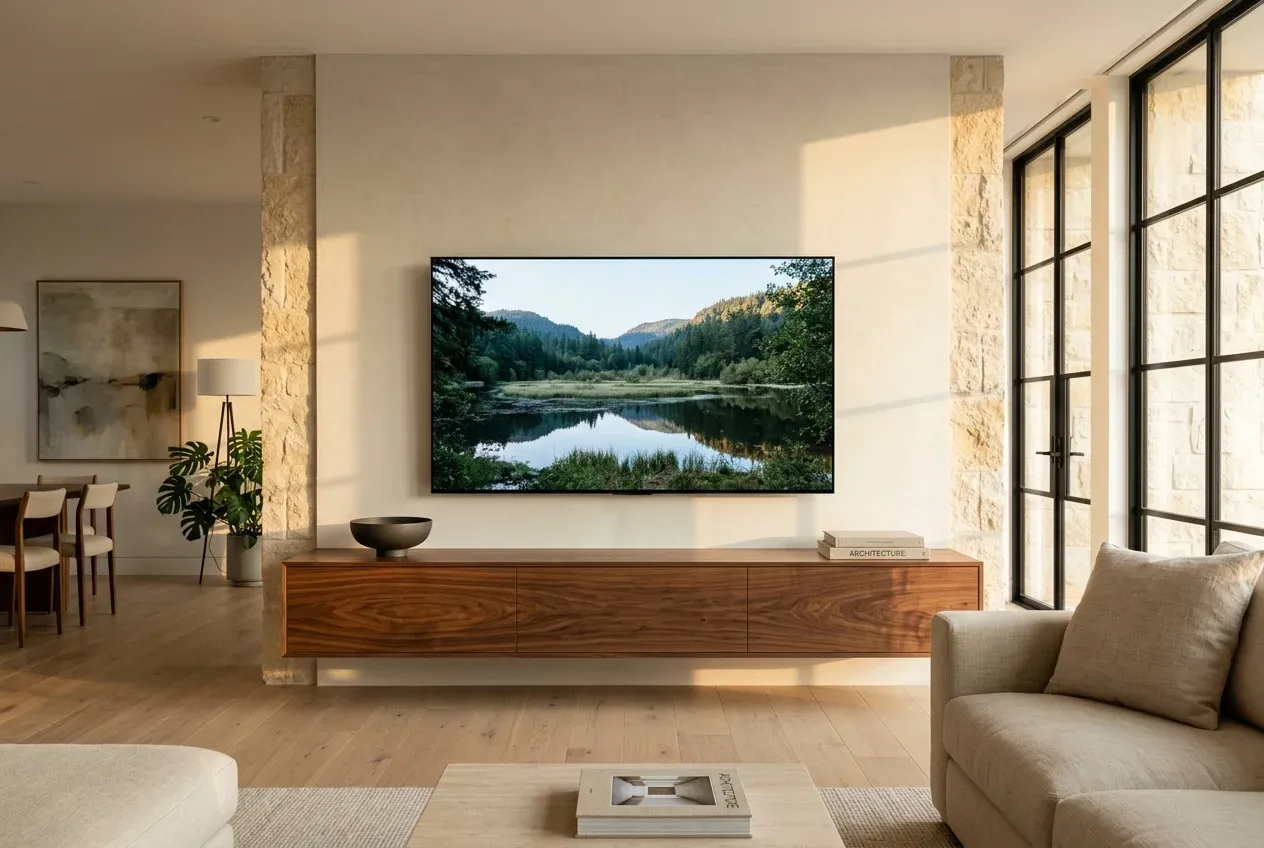
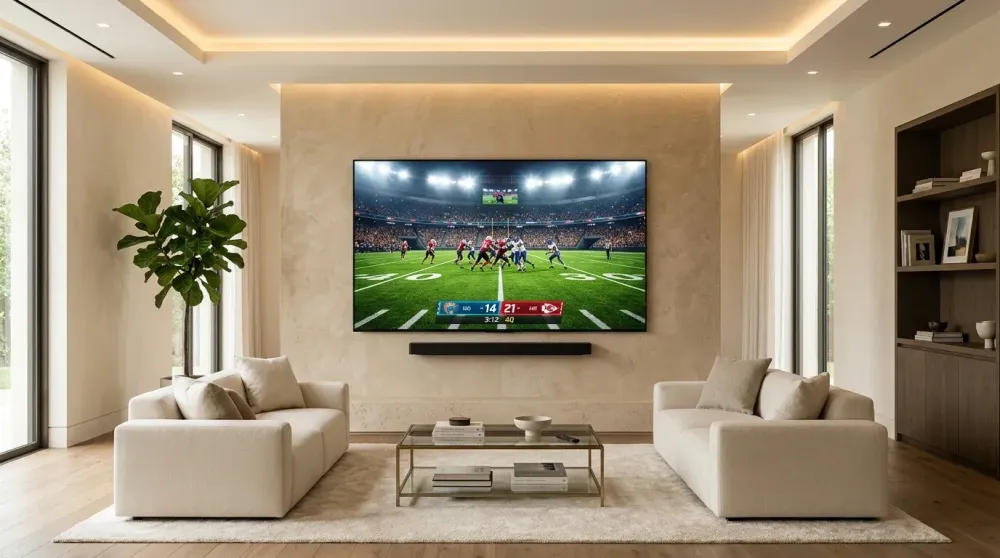
Suggested Alt Text: luxury living room with large oled tv mounted flush on contemporary feature wall
Buy for the Room, Not the Spec Sheet
The best television is not automatically the one with the longest spec sheet or the highest price tag. A sun-drenched family room with floor-to-ceiling windows, a dedicated light-controlled home theater, a cozy master bedroom, and an outdoor covered patio all demand completely different display strengths.
Before swiping a credit card on a new TV, look at how the room is actually used: ambient lighting levels, primary seating distance, off-axis viewing angles, wall construction, soundbar integration, and whether you plan to install a flush flat mount, a tilt mount, or an articulating full-motion arm.
Ready for Professional Setup?
Get a free, no-obligation estimate from local certified technicians in the Greater Houston Area.
Screen Size Is the First Big Decision: 65, 75, or 85 Inches?
Large-format screens have become the new residential standard. Where 55-inch displays once dominated living rooms, 65-inch, 75-inch, 77-inch, 83-inch, 85-inch, and even 98-to-100-inch screens are now common in modern American homes.
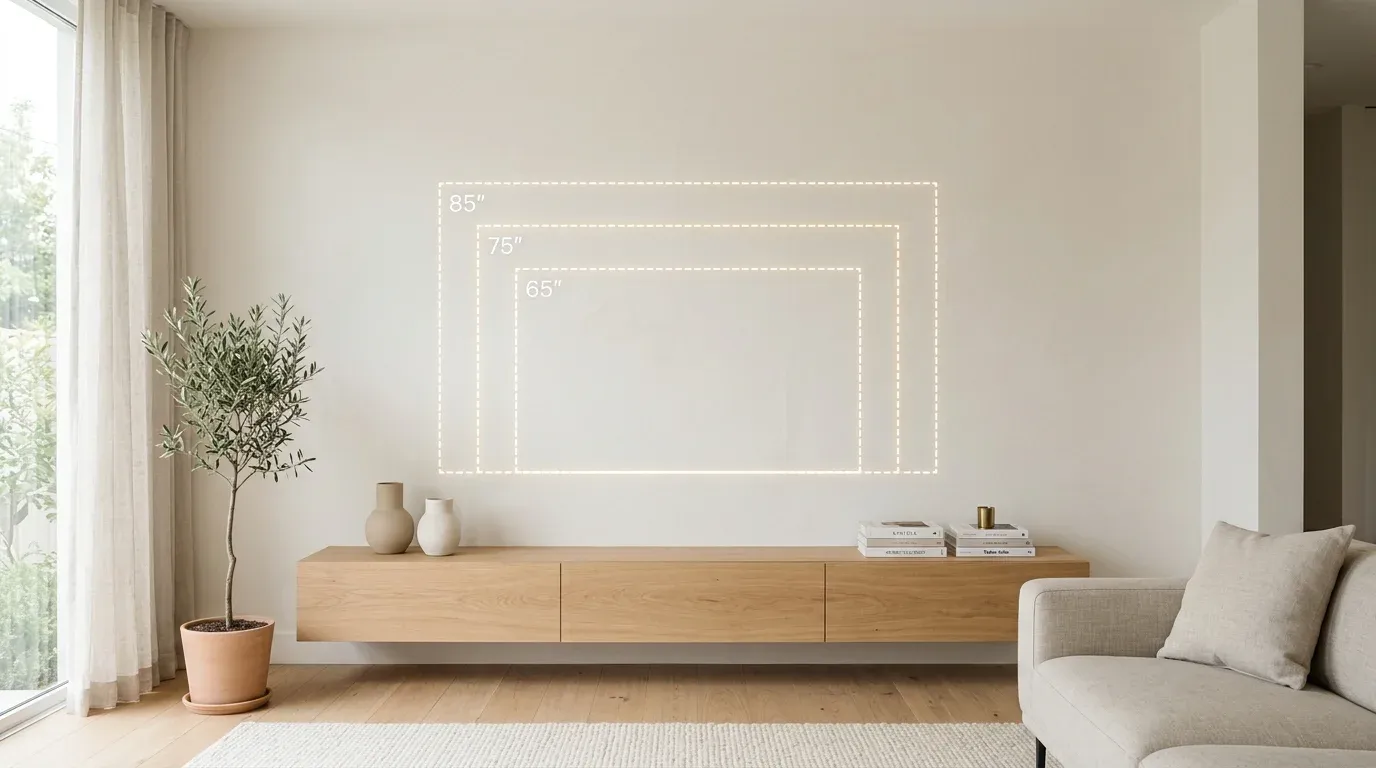
Suggested Alt Text: comparison diagram showing relative scale of 65 75 and 85 inch tv screen dimensions above a media console
Bigger delivers unmatched cinematic immersion, but the wall architecture, stud layout, and seating distance must support it:
- Measure Total Wall Width: Do not look only at diagonal screen size. Check physical width and height to ensure proper aesthetic margins around doorways, windows, and shelving.
- Factor in Soundbar and Mantel Spacing: If mounting over a fireplace or planning a wall-mounted soundbar, calculate vertical clearance so the screen doesn't sit uncomfortably high.
- Test Before You Buy: Use blue painter's tape on your wall to outline the outer dimensions of a 65", 75", and 85" screen. Step back to your couch to see how each scale feels in real life.
OLED vs. QLED vs. Mini-LED in Plain English
Display acronyms can feel overwhelming, but the differences boil down to how each screen handles light and contrast:
1. OLED (Organic Light Emitting Diode)
- How It Works: Every single pixel emits its own light and can turn completely off.
- Strengths: Perfect inky blacks, infinite contrast, and flawless wide-angle viewing without color washout. Ultra-thin panel profiles.
- Best For: Movie lovers, dark-to-moderate lighting rooms, and high-end living spaces. Flagship examples include the LG G4/C4, Samsung S95D, and Sony BRAVIA 8/XR80.
2. Mini-LED
- How It Works: An LCD panel backed by thousands of microscopic LED diodes clustered into hundreds or thousands of local dimming zones.
- Strengths: Spectacular peak brightness (over 2,000–3,000 nits) that easily overpowers intense sunlight, near-OLED contrast, and zero risk of permanent burn-in.
- Best For: Bright living rooms, sunrooms, and daytime sports viewing. Standouts include the Sony BRAVIA 9, Hisense U8N, and TCL QM8.
3. QLED
- How It Works: Traditional LED-backlit LCD enhanced with a quantum dot color filter.
- Strengths: High color volume, solid brightness, and broad availability across budget-friendly price tiers.
- Best For: Everyday multi-purpose TV watching in bedrooms, playrooms, and secondary areas.
Matching Your TV to Room Environment: Bright vs. Dark Spaces
If your living room has large uncovered windows or south-facing sunlight, prioritize peak brightness and anti-reflective screen coatings. A glossy, mirror-like screen that looks stunning in a dim showroom can be practically unwatchable with afternoon glare.
In contrast, if you watch movies primarily at night or in a room with motorized shades, OLED’s pixel-level black accuracy delivers rich three-dimensional depth that no backlit LCD can match.
Design-First TVs: Samsung The Frame, LG G-Series & CanvasTV
For homeowners who prioritize architectural aesthetics, modern lifestyle televisions transform black screens into wall art:
- Samsung The Frame & The Frame Pro: Features a matte, reflection-free display, customizable magnetic picture frames, and Art Mode. It requires thoughtful planning for Samsung’s One Connect Box and ultra-thin connection cable.
- TCL NXTFRAME & Hisense CanvasTV: Affordable lifestyle alternatives offering matte textured finishes, flush wall mounting, and integrated art galleries.
- LG OLED G-Series (Gallery Edition): Sits 100% flush against drywall using LG’s proprietary recessed bracket, giving a sleek floating museum look without a bulky external junction box.
Gaming Features to Look for: HDMI 2.1, 144Hz & VRR
If connecting a PlayStation 5, Xbox Series X, or high-end gaming PC, verify these essential hardware specs:
- HDMI 2.1 Bandwidth: Look for at least two (preferably four) full 48Gbps HDMI 2.1 ports that support 4K resolution at 120Hz or 144Hz.
- Variable Refresh Rate (VRR): Eliminates screen tearing during fast gameplay (supporting HDMI Forum VRR, AMD FreeSync, and NVIDIA G-Sync).
- Auto Low Latency Mode (ALLM): Automatically switches your screen to Game Mode with sub-10ms input lag when a console powers on.
- Ventilation Planning: Consoles generate significant heat; if concealing equipment behind the TV or in a media cabinet, plan adequate airflow and service access.
Don’t Forget the Mount: Choose the Bracket When You Choose the Screen
A TV can be rated for standard VESA patterns and still prove awkward on installation day due to weight, recessed screw depth, rear port clearance, or wall framing.
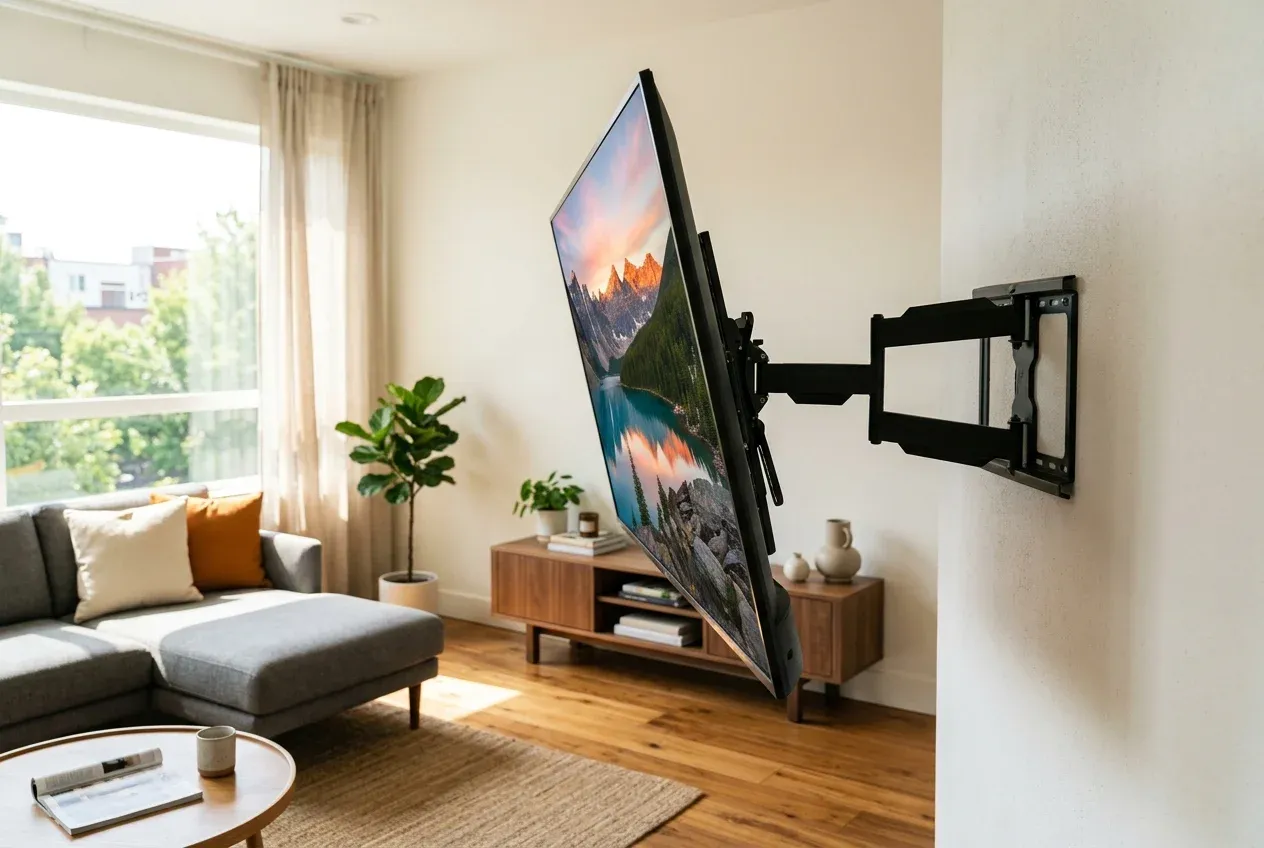
Suggested Alt Text: heavy duty dual arm full motion tv wall mount bracket extended and angled in modern open concept home
Selecting the mount should be part of the TV purchasing process:
- Flush / Fixed Mounts: Best for dedicated home theaters and bedrooms where eye-level viewing is fixed directly in front of the screen.
- Tilting Mounts: Essential when mounting above a fireplace or higher on the wall to angle the screen downward and eliminate window glare.
- Full-Motion / Articulating Arms: Crucial for open-concept layouts where the TV must swivel toward the kitchen, dining table, or side seating. Remember: a heavy 85-inch or 98-inch screen creates immense physical leverage when pulled 20+ inches away from the wall, requiring heavy-duty dual-arm steel brackets anchored firmly into solid wood or reinforced metal studs.
Pre-Purchase Measuring and Planning Checklist
Before finalizing your TV order, confirm these crucial details:
- [ ] Measured physical wall width and verified vertical clearance from furniture or mantels.
- [ ] Checked stud spacing (16-inch vs. 24-inch centers) and wall construction (wood studs, metal studs, brick, or concrete).
- [ ] Confirmed VESA mounting bolt pattern and total panel weight without the tabletop stand.
- [ ] Planned wire path: standard low-voltage in-wall routing vs. recessed media box for flush-mount models.
- [ ] Verified HDMI port layout (side-facing ports make flush wall mounting far easier than rear-facing plugs).
The TVPro Perspective
The right television deserves the right installation. At TVPro, we often advise clients before they unbox their screens. When a project involves complex surfaces—such as stone, tile, brick, a fireplace, or a 98-inch panel—a few minutes of pre-purchase planning prevents expensive rework.
We help match screen size, mount engineering, wall structure, and cable concealment so your new display feels like a natural architectural feature of the room. Every TVPro installation is leveled with laser precision and backed by a comprehensive 5-year workmanship warranty.
️ Ready to Mount Your New TV?
Need certified TV mounting, acoustic soundbar alignment, and 100% hidden wires? TVPro delivers professional installations with same-day appointments available.
FAQ
Is OLED always better than QLED?
No. OLED excels in contrast, dark-room viewing, and viewing angles, but premium QLED and Mini-LED displays deliver vastly superior peak brightness, making them better suited for sunlit rooms with large windows.
What TV size should I buy for a 10-foot viewing distance?
For a 10-foot viewing distance, a 75-inch or 77-inch screen provides the ideal balance of cinematic field of view without causing eye strain. For larger open-concept rooms, an 85-inch display is often preferred.
Should I buy the TV mount before the TV?
It is best to choose them together. Screen weight, VESA bolt patterns, port orientation, and the wall material all dictate the specific bracket capacity needed.
Which TVs mount closest to the wall?
The LG OLED G-Series (Gallery Edition), Samsung The Frame, and TCL NXTFRAME are engineered specifically for ultra-slim, flush-to-drywall installation when paired with a recessed media box.
Can an 85-inch TV go on a full-motion articulating mount?
Yes, but only on a heavy-duty, dual-arm steel mount rated for 125+ lbs, properly anchored into solid wood studs or reinforced metal framing to handle the leverage when fully extended.